Skip to content

LOADING DOCK BOOKINGS. UNDER CONTROL.

Keep your loading
dock moving.

Give tenants a simple way to book deliveries, communicate your dock’s access and safety requirements upfront, and give your building team a clear view of what’s arriving.

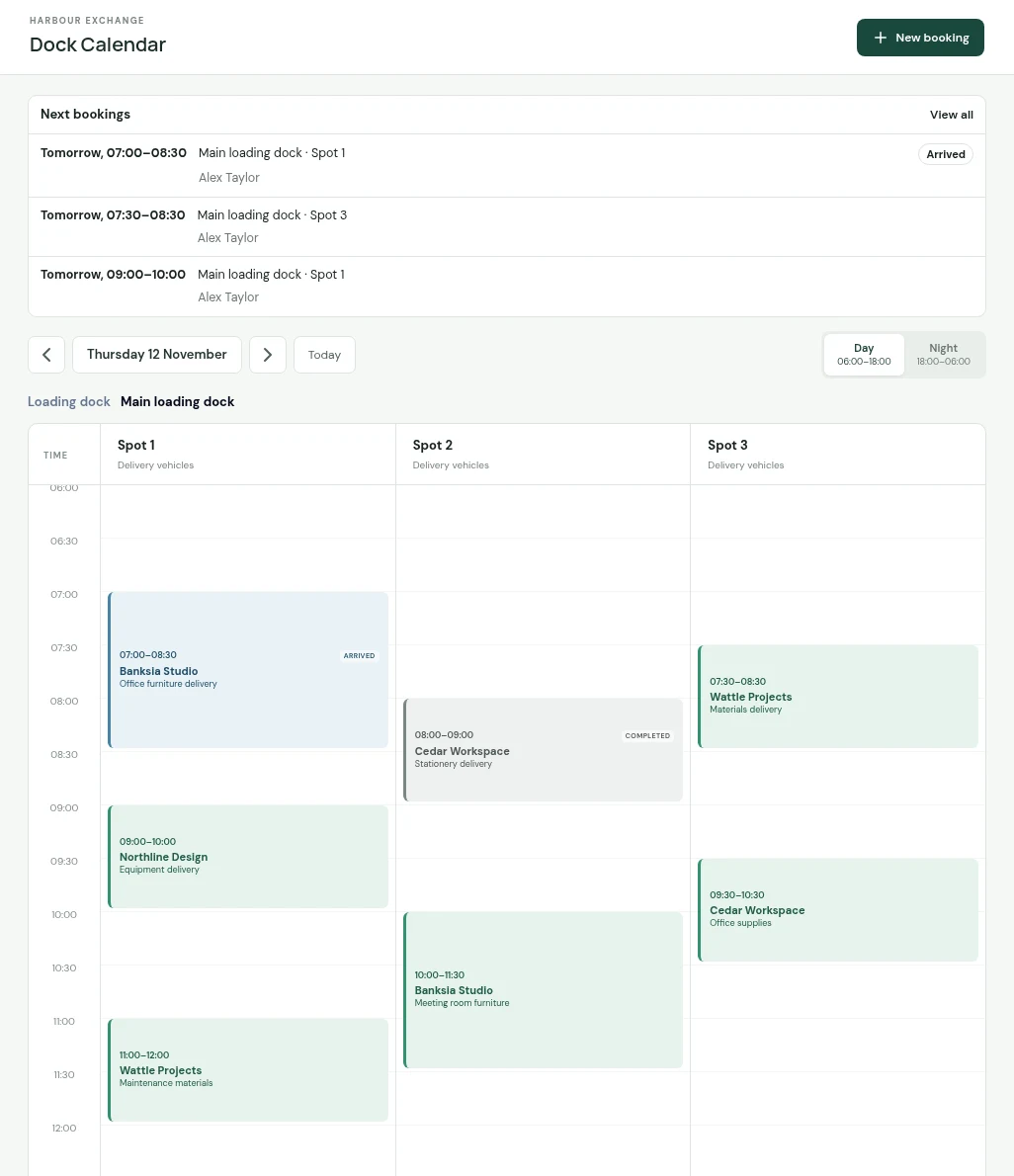
A clearer day at the dockDockBooker / Calendar
Actual DockBooker calendar with fictional deliveries across three dock spots, showing scheduled, arrived and completed bookings.

Less chasing. Clearer bookings.

Bring delivery bookings into one place, reducing the calls and emails needed to coordinate dock access.

Know what’s arriving.

Give your building and security teams a shared view of scheduled deliveries and dock availability.

Your dock. Your rules. Clear before arrival.

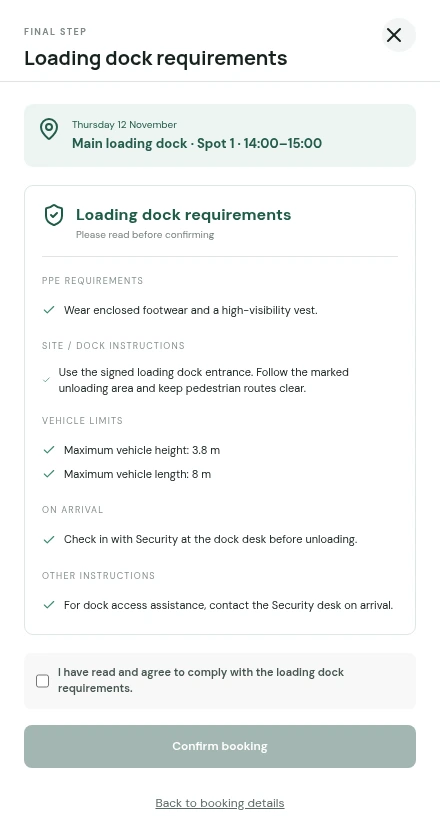
Bring site-specific safety requirements and access instructions into the booking process, so the person making the booking knows what’s required and acknowledges it before submitting.

FROM BOOKING TO ARRIVAL

One place to keep
the day on track.

Practical tools for the people booking deliveries and the teams managing the dock.

01 / BOOK

A simpler way to
book a delivery.

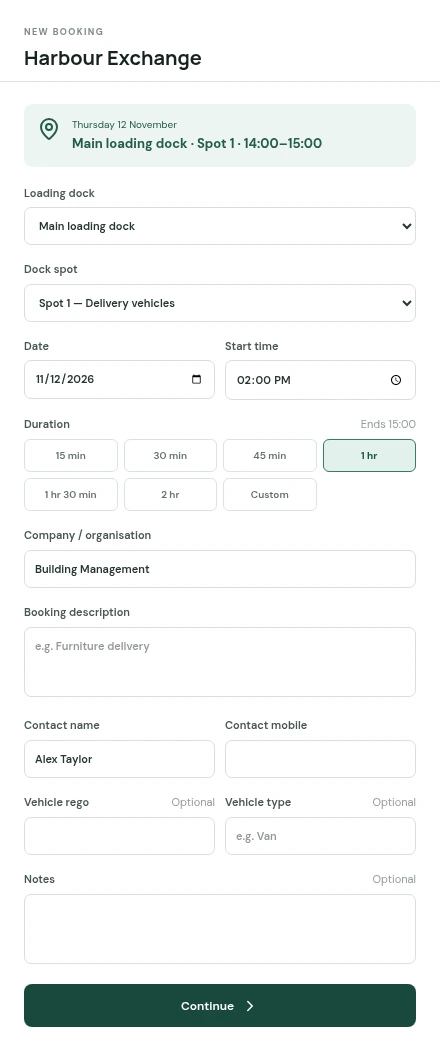
Tenants and contractors choose an available dock spot and select a time for their delivery.

They can manage their own deliveries, while other users’ booking details stay private.

  • Choose a dock, spot and time
  • Manage their own bookings
DockBooker booking form with dock, spot, date and duration selection
Actual DockBooker booking screen showing fictional PPE, dock entry, unloading, vehicle limits and Security check-in instructions, with the booking person's acknowledgement checkbox
02 / SITE REQUIREMENTS

Make site requirements part of every booking.

Set out the requirements for using your loading dock—from PPE and delivery procedures to access instructions. Present them during booking and record the user’s acknowledgement, giving your team a reference when following up.

The booking records the requirements shown and when the person making the booking acknowledged them.

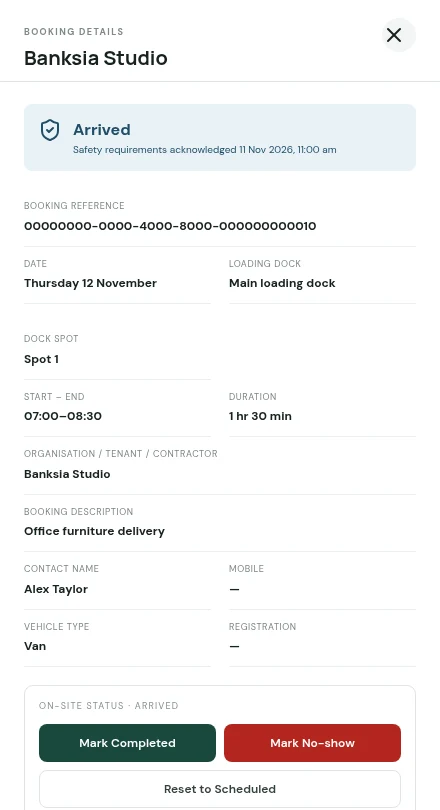
DockBooker staff calendar of scheduled deliveriesActual booking details with Arrived status and Mark Completed and Mark No-show actions
03 / MANAGE

A clearer picture for
the team on the ground.

Security and Building Management can see expected deliveries, review bookings and keep arrival status up to date.

Approval controls support your site rules. After-hours and overnight requests require Building Admin approval.

ScheduledArrivedCompletedNo-show
04 / REVIEW

The booking history
when you need it.

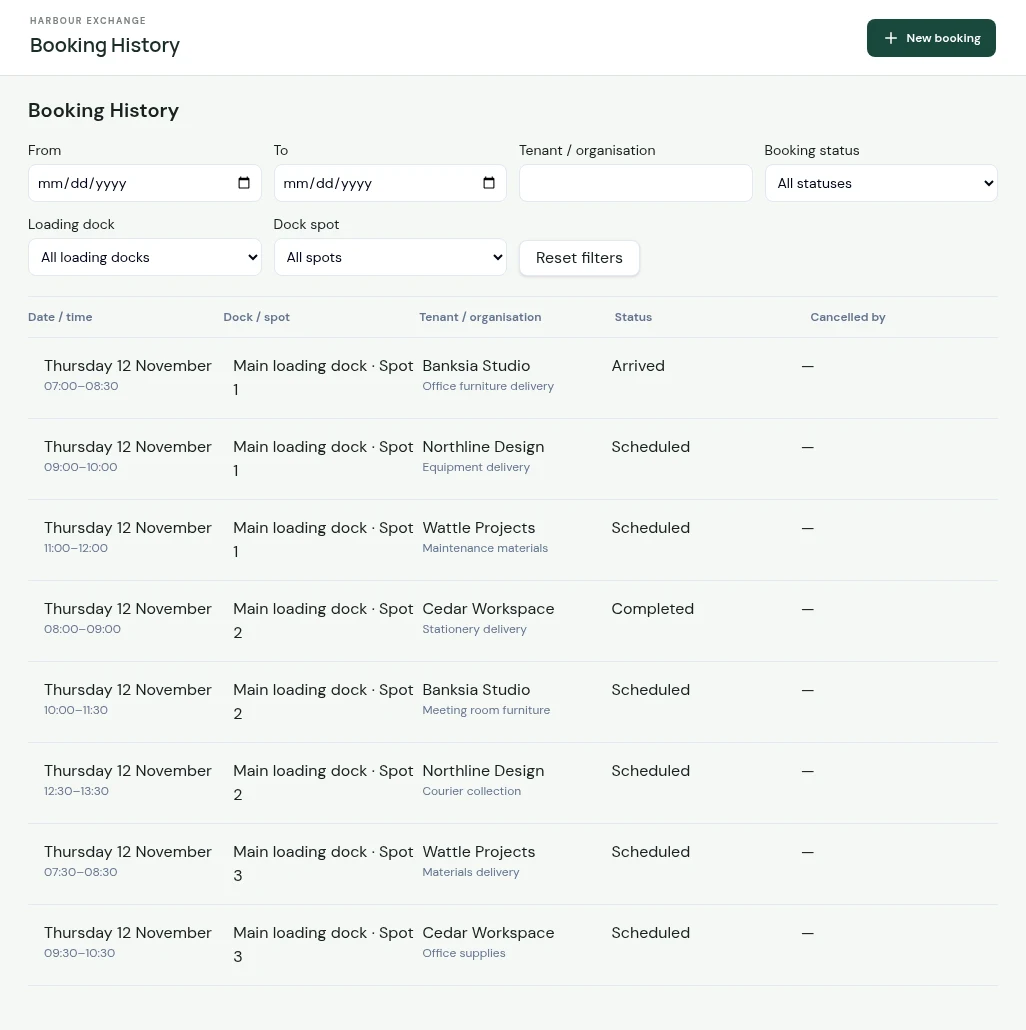
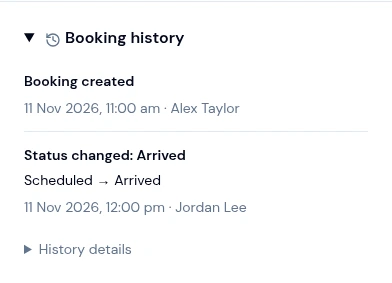
Authorised staff can find past bookings and review recorded changes, who made them and when.

From booking decisions to arrival updates, the recorded history helps your team follow what happened.

DockBooker staff booking history with date, organisation, status and dock filtersActual booking audit showing recorded events, actors and timestamps

BUILT AROUND YOUR BUILDING TEAM

The right view.
For the right people.

Shared coordination.
Clear responsibilities.

01

Building Management

Communicate consistent site requirements, oversee bookings and approvals, and retain timestamped booking acknowledgements.

02

Security

Visibility of expected deliveries and tools to manage arrivals.

03

Tenants & contractors

A straightforward way to book and manage their own deliveries.

HOW IT WORKS

A simple workflow.
A better-organised dock.

  1. 1

    Set up your site

    Set up your docks, spots and site requirements.

  2. 2

    Invite your users

    Invite your building’s users to book deliveries.

  3. 3

    Keep things moving

    Manage bookings and arrivals from one shared calendar.

LET’S TALK ABOUT YOUR BUILDING

See how DockBooker could work at your building.

Tell us a little about your building and how you manage deliveries. We’ll get in touch to discuss your requirements.